
How to Compress Images Without Losing Quality

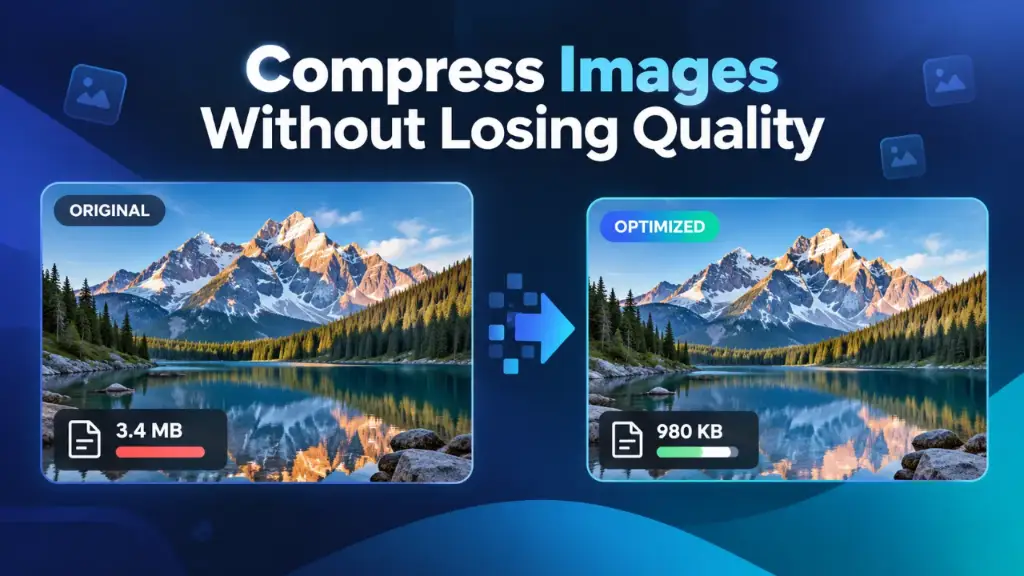
Learn how to compress images without noticeable quality loss. Compare image formats, discover practical tips, and reduce file sizes with a free online tool.
Are large image files slowing down your website, consuming too much storage, or making uploads difficult?
Whether you're managing a Shopify store, publishing blog posts, building a website, or sharing photographs, oversized images can create unnecessary problems.
Fortunately, you can often reduce image file sizes significantly without a noticeable difference in visual quality.
In this guide, you'll learn how image compression works, how to choose the right image format, and how to optimize pictures using the free [SharifulSoft Image Compressor](https://sharifulsoft.com/tools/image-compressor).
1. What Is Image Compression?
Image compression is the process of reducing an image's file size by encoding its visual information more efficiently.
For example, imagine you have a photograph that occupies 4 MB of storage. After compression, it might occupy only 1.5 MB while looking almost identical to the original.
That represents a file-size reduction of 62.5%.
*This is an illustrative example. Actual compression results vary according to the image, format, and processing settings.*
Image compression can benefit several types of users:
The goal is to balance image quality, dimensions, compatibility, and file size.
2. Can You Compress Images Without Losing Quality?
Yes, but it's important to understand the difference between lossless compression and compression without *noticeable* quality loss.
Lossless Image Compression
Lossless compression reduces file size while preserving the original decoded image information.
The image can be reconstructed without losing pixel data.
Formats such as PNG and lossless WebP support this approach.
Lossless compression is especially useful for:
Lossy Image Compression
Lossy compression reduces file size by removing some image information.
This process can introduce changes to an image, but carefully chosen settings can make those changes difficult to notice during normal viewing.
JPEG, WebP, and AVIF support lossy compression.
Lossy compression is commonly useful for photographs, product images, website banners, and other complex visual content.
Important: Lossless compression preserves image information exactly. Visually lossless compression means the result looks nearly identical to a viewer, even though some information may have changed.
Neither method guarantees a particular file-size reduction.
3. How to Compress Images Online for Free
You don't need expensive image-editing software for basic image optimization.
The [SharifulSoft Image Compressor](https://sharifulsoft.com/tools/image-compressor) provides an online tool for reducing image file sizes.
Follow this simple workflow.
Step 1: Open the Image Compressor
Visit:
[https://sharifulsoft.com/tools/image-compressor](https://sharifulsoft.com/tools/image-compressor)
You can access the tool directly from your web browser.
Step 2: Choose an Image
Select the image you want to compress from your device.
Before uploading, check which formats the tool currently accepts.
Step 3: Compress the Image
Start the compression process using the options provided by the tool.
If adjustable quality or format settings are available, select values appropriate for your intended use.
Step 4: Review the Compressed Image
Compare the optimized image with its original version.
Check important details, including:
Remember that smaller files are not always better if the image becomes visibly damaged.
Step 5: Download the Result
Download the optimized image and use it for your website, online store, blog, or other digital project.
Keep your original image if you might need it for future editing.
Ready to reduce your image file sizes?
[Try the Free SharifulSoft Image Compressor →](https://sharifulsoft.com/tools/image-compressor)
4. Best Image Formats for Compression
Choosing the right format is one of the most effective ways to optimize images.
Different formats use different compression techniques and support different features.
| Image Format | Main Advantages | Recommended Uses |
|---|---|---|
| JPEG / JPG | Widely compatible, good for photos | Photography, product images |
| PNG | Lossless compression, transparency | Logos, graphics, screenshots |
| WebP | Efficient compression, transparency support | Website images, online stores |
| AVIF | Modern, efficient image encoding | Performance-focused websites |
JPEG: Best for General Photography
JPEG is widely supported and works well for photographs containing detailed textures and colors.
It can reduce file sizes considerably, but aggressive compression may introduce visible artifacts.
JPEG also doesn't support transparent backgrounds.
PNG: Best for Graphics and Transparency
PNG uses lossless compression and supports transparency.
It is particularly useful for screenshots, logos, diagrams, and graphics containing sharp text.
However, PNG photographs can sometimes be significantly larger than comparable JPEG or WebP images.
WebP: A Strong Choice for Websites
WebP supports both lossy and lossless compression.
It can often produce smaller files than traditional image formats at comparable visual quality.
For website owners, WebP is worth considering for photographs, thumbnails, banners, and other image assets.
AVIF: Efficient Modern Compression
AVIF is another modern image format that supports efficient compression.
It can achieve excellent visual results at relatively small file sizes, although encoding performance and software compatibility should be considered.
Pro Tip: Don't convert every image into the same format automatically. Test file size, visual quality, transparency requirements, and compatibility before choosing.
5. Seven Tips to Compress Images Without Noticeable Quality Loss
1. Choose the Right File Format
Use formats that match the image's content.
JPEG or WebP may work well for photographs, while PNG or lossless WebP may be preferable for graphics requiring exact detail preservation.
2. Avoid Excessive Compression
Extremely aggressive compression can produce blurry details, visible blocks, or unnatural color gradients.
Aim for a sensible balance between file size and visual appearance.
3. Resize Images When Appropriate
Large images don't always need their full original dimensions.
For example, an image displayed in a small webpage section may not need the dimensions of a full-resolution camera photograph.
Resizing can reduce file size substantially.
However, resizing changes image dimensions and discards pixels, so use it only when reduced dimensions are acceptable.
4. Check Image Quality at Normal Viewing Size
An optimized image may appear acceptable as a small thumbnail but show artifacts when displayed larger.
Compare the original and compressed versions at their intended display sizes.
5. Preserve Your Original Images
Always keep an original copy of important photographs and graphics.
This allows you to create fresh optimized versions without relying on files that have already undergone lossy compression.
6. Avoid Repeated JPEG Compression
Repeatedly saving JPEG images with lossy settings can gradually introduce additional compression artifacts.
Where possible, return to the original source image before creating a new export.
7. Compare Different Results
Different images respond differently to compression.
A photograph containing detailed textures may require different settings from an illustration with large areas of flat color.
Compare the results rather than relying on a single setting for every image.
6. Why Image Compression Matters for Website Speed
Website images can contribute significantly to the amount of data visitors download.
When images are unnecessarily large, they may slow down page loading, particularly on slower internet connections.
Faster Page Loading
Smaller image files generally require fewer bytes to download.
When optimized images replace unnecessarily large files, website performance may improve.
Better Mobile Browsing
Mobile users may have slower connections or limited mobile data allowances.
Efficiently delivered images can improve their browsing experience.
Reduced Bandwidth Usage
Optimized image assets can reduce unnecessary data transfer, especially on websites with many photographs.
Improved Core Web Vitals
Image optimization can help improve Largest Contentful Paint (LCP) when a large image is the page's primary visual element.
However, Core Web Vitals also depend on other factors, including server response times, render-blocking resources, image priorities, and JavaScript execution.
Compression should therefore be part of a broader website performance strategy.
7. How to Optimize Shopify Product Images
For Shopify store owners, product photography plays an important role in showcasing products and building customer confidence.
However, uploading unnecessarily heavy files can complicate image management and affect the delivery of image-rich pages.
Here are some useful practices:
Shopify already offers image transformation and optimized delivery features. Manual compression can complement these capabilities but isn't always necessary for every image.
If you manage multiple product images, consider using a reliable compression workflow before uploading files.
You can start with the [SharifulSoft Online Image Compressor](https://sharifulsoft.com/tools/image-compressor).
8. Does Image Compression Improve SEO?
Image compression can support search engine optimization by contributing to better page performance and user experience.
However, reducing image file sizes doesn't automatically improve search rankings.
For stronger image SEO, combine compression with other best practices.
Use Descriptive Filenames
Avoid generic filenames such as:
IMG_001.jpg
Instead, use relevant names such as:
black-leather-handbag.jpg
Descriptive filenames provide useful context about an image.
Add Meaningful Alt Text
Alt text helps describe images for people using assistive technologies and can help search engines understand image content.
For example:
Black leather handbag with gold hardware on a white background
Avoid stuffing image alt text with repetitive keywords.
Optimize Image Dimensions
Use appropriate image sizes for different layouts and devices.
Responsive image delivery helps browsers avoid downloading unnecessarily large assets.
Monitor Website Performance
Use tools such as Google PageSpeed Insights to identify large image resources and other opportunities to improve loading performance.
Remember: Quality content, accessibility, technical performance, and relevant information all contribute to a better website experience.
9. Common Image Compression Mistakes
Even experienced website owners sometimes make mistakes when optimizing images.
Compressing Images Too Aggressively
Excessive compression may damage important visual details.
For professional product photography, image clarity should remain a priority.
Using the Wrong Format
Converting a transparent logo to JPEG removes transparency.
Similarly, storing every photograph as PNG may create unnecessarily large files.
Ignoring Image Dimensions
A compressed image can still be larger than necessary if its dimensions far exceed its actual display requirements.
Recompressing the Same File Repeatedly
Repeated lossy compression may gradually reduce visual quality.
Save the original and produce new exports when needed.
Focusing Only on File Size
A smaller image is not automatically a better image.
Always consider clarity, accessibility, color accuracy, and the intended use.
10. Frequently Asked Questions (FAQ)
Q1. How can I compress an image without losing quality?
Use lossless compression when exact pixel preservation matters. For photographs, carefully configured lossy compression may reduce file size without obvious visual differences.
Q2. Is there a free online image compressor?
Yes. SharifulSoft provides a free online Image Compressor that you can access directly from your browser.
[Open SharifulSoft Image Compressor](https://sharifulsoft.com/tools/image-compressor)
Q3. Does image compression reduce image resolution?
Not necessarily. Compression can reduce file size without changing an image's pixel dimensions. Resizing is a separate process that changes width and height.
Q4. Which is better for website images: JPEG or WebP?
Both formats are useful. WebP often provides efficient compression and supports transparency, while JPEG offers broad compatibility. The better choice depends on your image and technical requirements.
Q5. Can compressing images improve website loading speed?
Yes, reducing unnecessary image bytes can help pages load more efficiently. Actual improvements depend on image delivery and the website's overall performance.
Q6. Is PNG better than JPG?
PNG is useful for lossless graphics, screenshots, and transparency. JPEG is commonly more suitable for photographic images where smaller files are important.
Q7. Should I compress images before uploading them to Shopify?
It can help when original files are unnecessarily large, but Shopify also provides image optimization capabilities. Evaluate your source files and storefront performance before adding extra processing.
Q8. Can image compression save storage space?
Yes. Smaller files generally consume less storage space, making them easier to organize, transfer, and share.
11. Final Thoughts
Image compression is a simple but valuable part of managing digital content.
Whether you're running an online business, maintaining a portfolio, publishing articles, or sharing photographs, optimizing images can help reduce unnecessary file sizes while preserving a professional appearance.
The most effective approach is to choose an appropriate image format, use sensible compression settings, inspect the results, and retain your original images.
Remember that truly lossless compression and visually lossless compression are different. Understanding that distinction helps you select the right method for each situation.
Want to optimize your images quickly?
Try the free online tool from SharifulSoft.
[Compress Images Online for Free →](https://sharifulsoft.com/tools/image-compressor)
*Published by Shariful Islam | SharifulSoft*
Written by Shariful Soft
Full-Stack Developer & Senior Shopify Liquid Developer
Specializing in bespoke Shopify Liquid themes, full-stack React & Next.js web applications, and Python APIs. Partnering with global founders and e-commerce brands to drive high conversion and optimal speed.